What Are the Most Common Mistakes When Running Databases in Containers?
Learn the most common mistakes when running databases in containers, including storage, backups, resources, failover, and recovery tradeoffs.
What Are the Most Common Mistakes When Running Databases in Containers?
Running databases in containers is appealing because it makes deployment consistent and portable. But databases do not behave like stateless application containers. They care about disk consistency, memory pressure, startup order, failover behavior, and recovery. If those concerns are treated like ordinary container concerns, production incidents become much more likely.
This is why database containers often fail for reasons that are not obvious at first. The image may start cleanly, the pod may be healthy, and yet the system can still lose data, degrade under load, or become hard to recover after a node or cluster failure.
This article explains the most common mistakes teams make when running databases in containers, the standard approaches used today, the limitations of those approaches, and how to build a safer operating model across Kubernetes and k3s.
The Problem: Databases Need More Than a Container Runtime
Containerization solves packaging and repeatability.
Databases need more than that.
They need:
- Durable storage
- Predictable resource sizing
- Clean shutdown and startup behavior
- Backup and restore workflows
- Failover or replication planning
- Careful upgrades and migration handling
If a team assumes that a database container is just another pod, they often end up with operational problems that are really storage, recovery, or capacity problems.
Why this happens so often
Containers make it easy to move software around.
That convenience can hide the fact that databases are stateful systems with strong expectations around identity and persistence. In production, that difference matters more than the container boundary itself.
The Most Common Mistakes
The exact list varies by database engine, but these are the mistakes that show up most often.
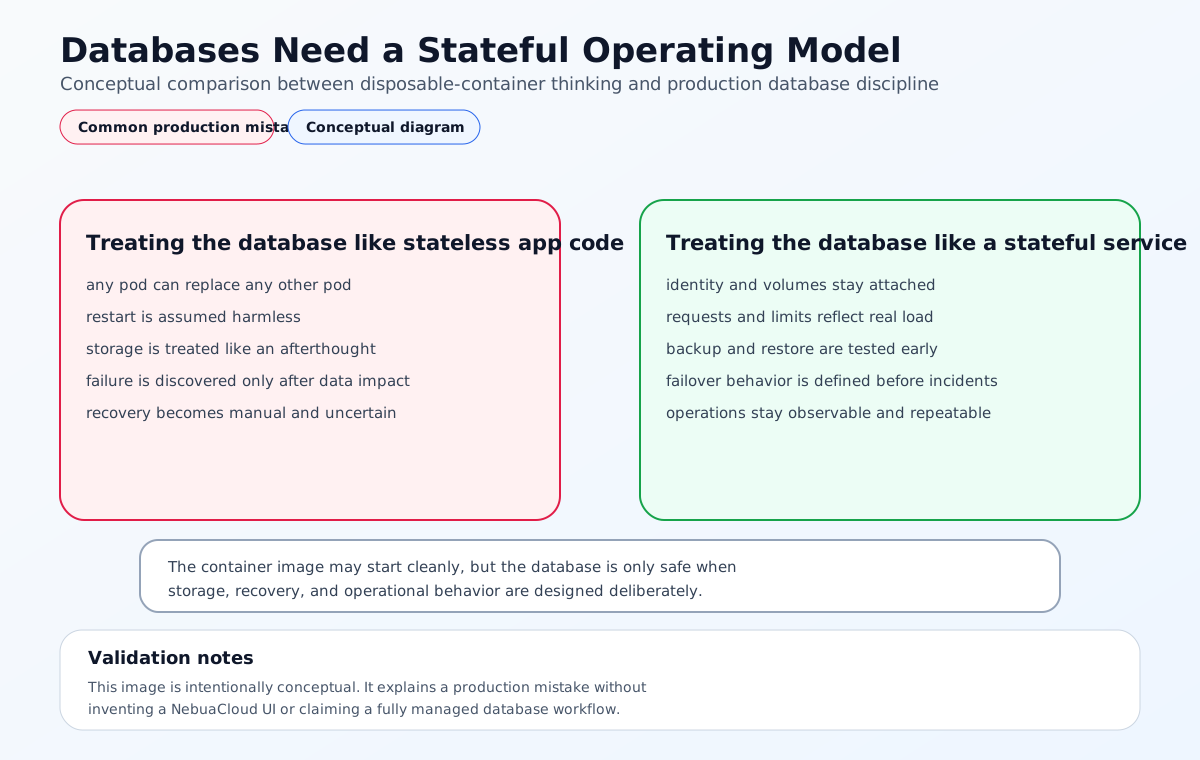
1. Treating the database like a stateless service
The biggest mistake is deploying a database the same way you would deploy a web API.
That usually means assuming:
- Any pod can replace any other pod
- Restarting is harmless
- Storage is optional or temporary
That model works for stateless apps, but not for databases.
2. Ignoring storage behavior
Databases depend on the storage layer more than most teams expect.
Common storage mistakes include:
- Using the wrong storage class
- Ignoring latency or IOPS requirements
- Placing replicas on the same failure domain
- Failing to test how volumes behave after node failure
If the storage layer is slow or unstable, the database will suffer even if the container itself looks healthy.
3. Underestimating memory pressure
Many databases are memory-sensitive.
When teams set resource limits too aggressively or overcommit the node, they may see:
- Slow queries
- Evictions
- Restart loops
- Poor checkpoint behavior
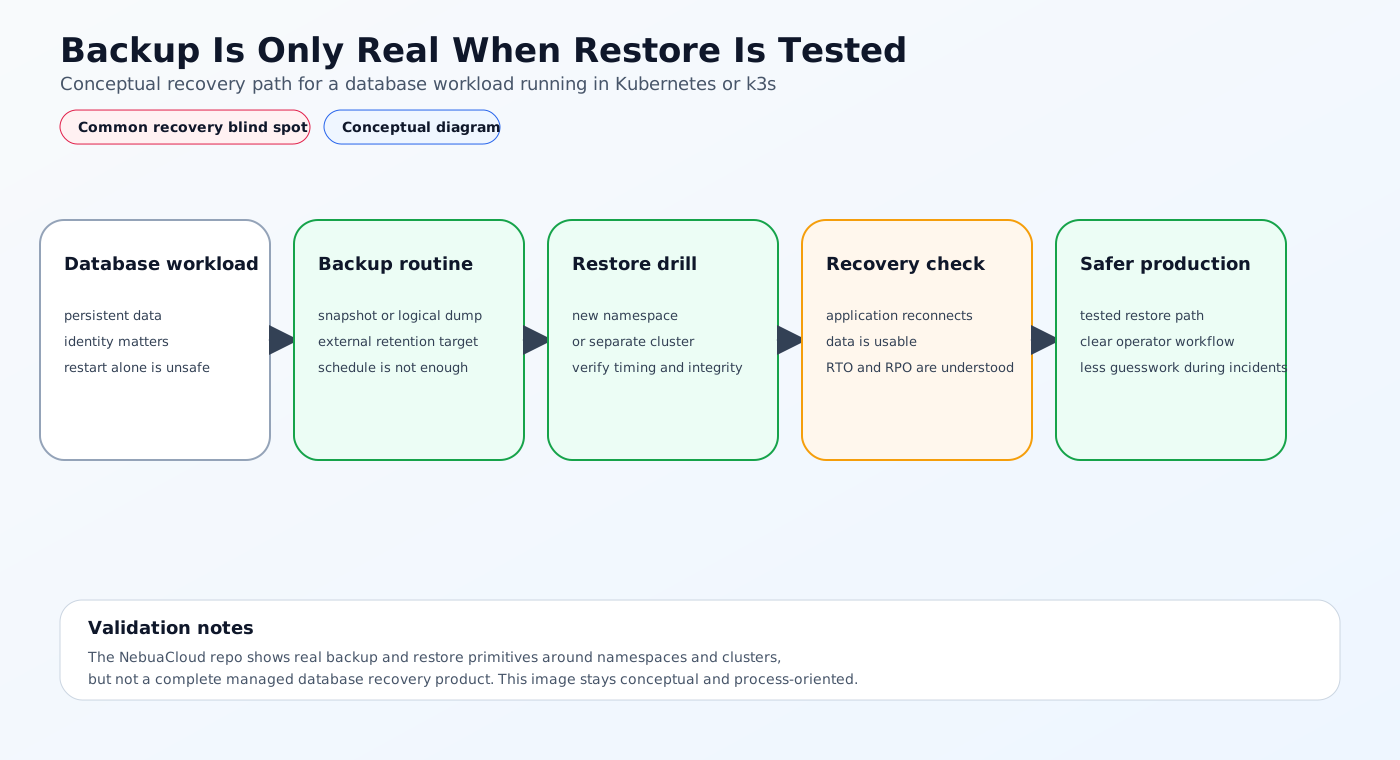
4. Forgetting backup and restore
Some teams create backups but never test restore.
That is a dangerous assumption because the real question is not whether a backup file exists. It is whether the database can be restored and used after a failure.
5. Running the database without a failover plan
If the primary pod or node fails, the team should know what happens next.
Without a failover strategy, recovery becomes manual, slow, and error-prone.
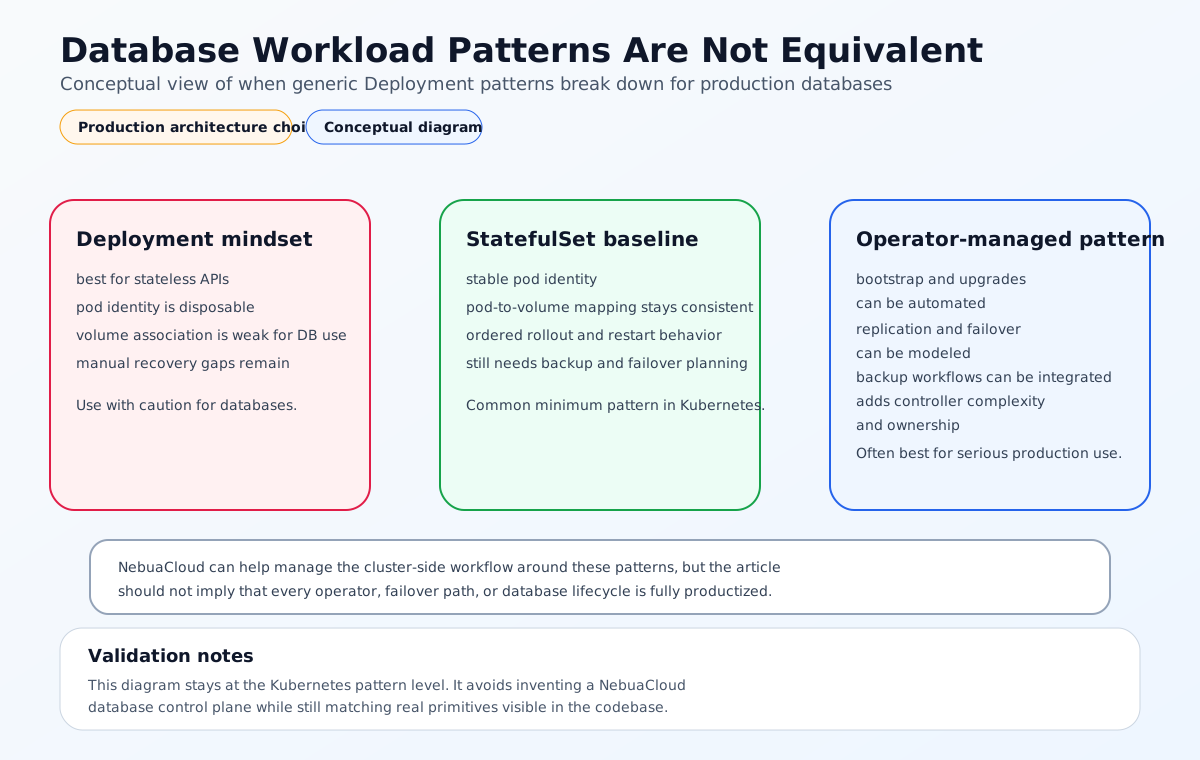
6. Using the wrong controller or workload type
Databases are often deployed like normal Deployments when they should probably be StatefulSets or operator-managed systems.
That makes identity and storage association harder to manage.
7. Overlooking upgrade sequencing
Database version upgrades and schema migrations need coordination.
If you upgrade the container without planning the data layer, you can introduce downtime or compatibility issues.
8. Skipping observability
Database health is not just pod health.
You need to monitor:
- Replication lag
- Connection saturation
- Memory utilization
- Disk latency
- Error rates
- Query performance
Current Industry Standard Approaches
Most teams use one of these patterns.
Managed databases outside containers
The simplest operational model is to keep the database in a managed service outside the container platform.
This works well when the team wants:
- Lower operational burden
- Built-in backups
- Automatic failover
- Easier patching
StatefulSets in Kubernetes
When the database must live inside Kubernetes, StatefulSets are the basic building block.
They help with:
- Stable identity
- Pod-to-volume association
- Ordered startup and scaling
Operator-managed databases
This is often the best Kubernetes-native option for serious production use.
Operators can automate:
- Bootstrap
- Replication
- Failover
- Backups
- Rolling upgrades
Dedicated nodes or clusters
Some teams isolate databases onto dedicated node pools or separate clusters.
That reduces noisy-neighbor risk and makes resource behavior easier to predict.
Limitations of Common Approaches
No approach solves everything.
Managed services reduce control
They are simpler, but the database is no longer fully part of the Kubernetes control model.
StatefulSets do not automate recovery
They help with identity and storage mapping, but they do not solve backup strategy or failover by themselves.
Operators add complexity
They automate a lot, but they also add another moving part to understand and maintain.
Dedicated clusters increase overhead
Isolation is better, but so is the amount of infrastructure to manage.
k3s does not remove database discipline
Smaller clusters still need proper storage, recovery, and observability.
A Better Solution Approach
The safest way to run databases in containers is to treat them as platform services.
1. Choose the right workload pattern
Use StatefulSets or operators, not generic Deployments, for most production databases.
2. Treat storage as a first-class decision
Pick a storage class that matches your latency and durability needs.
3. Set realistic resource requests and limits
This helps the scheduler place the workload correctly and avoids memory pressure.
4. Design backup and recovery before production
Backups are only useful when restore has been tested.
5. Define the failover model
If the database is critical, the team needs to know how it fails over and how long recovery should take.
6. Monitor database-specific signals
Pod status is not enough. Watch the health of the database itself.
How NebuaCloud Fits Into This Model
This is where NebuaCloud fits naturally.
NebuaCloud is focused on Kubernetes management, GitOps workflows, multi-cluster and multi-tenant operations, and production visibility. In the database-container model, that means the platform can help teams manage the cluster-side operational concerns around stateful workloads more consistently instead of treating each database as a one-off exception.
What this means in practice
NebuaCloud can help teams:
- Manage Kubernetes and k3s clusters that host stateful database workloads
- Apply GitOps workflows to database manifests, operators, storage configuration, and recovery config
- Keep monitoring, logs, and operational visibility around database-related workloads
- Support multi-tenant infrastructure with clearer boundaries around data services
- Surface cluster and workload signals that help teams detect storage pressure, rollout issues, or unhealthy replicas earlier
That is useful when databases need to be repeatable, observable, and recoverable without implying that the platform itself is a managed database service.
Practical Example: PostgreSQL in a Container Platform
Imagine a team running PostgreSQL in Kubernetes for an application backend.
Safer deployment flow
- Deploy PostgreSQL through an operator or StatefulSet.
- Attach persistent storage with the right storage class.
- Set memory and CPU requests with headroom.
- Configure backups to external storage.
- Test restore into a separate namespace.
- Define failover or promotion behavior.
- Monitor storage latency, replication lag, and connection load.
Why this is safer
The database is no longer being treated like a disposable container. It is managed as a stateful service with an explicit recovery model.
Conclusion
The most common mistakes when running databases in containers come from treating stateful systems like stateless ones. The biggest risks are weak storage design, poor memory sizing, missing backup and restore testing, and unclear failover behavior. The safest approach is to use the right Kubernetes primitive, plan recovery early, and monitor the database itself rather than just the pod.
For teams running Kubernetes and k3s in production, NebuaCloud can provide a natural operational layer for GitOps, observability, and multi-tenant infrastructure so database containers stay easier to manage safely.
Try it with NebuaCloud -> deploy in minutes
Current Availability
Note: NebuaCloud currently provides partial support around this topic through database workload visibility, StatefulSet-oriented database management actions, connection details, logs, exposure controls, and backup or restore workflows around namespaces and clusters.
The platform does not currently expose a full managed database operations layer that completely automates replication, failover orchestration, operator lifecycle management, or end-to-end database recovery exactly as described across every pattern in this article.
This article is intended to explain the production discipline required to run databases in containers safely. Where NebuaCloud does not yet offer the full workflow as a product capability, those parts should be understood as platform direction and operational guidance rather than a promised fully available feature today.