Kubernetes vs Docker: What Is the Real Difference?
Understand the real difference between Docker and Kubernetes, how they fit together, and what teams should know before production deployments.
Docker and Kubernetes are often mentioned together, which is why many teams treat them as if they solve the same problem. They do not.
Docker is primarily used to package and run container images. Kubernetes is used to orchestrate those containers across a cluster, keep them healthy, and maintain the desired state. The two tools are complementary, not interchangeable.
This article explains the real difference between Docker and Kubernetes, where Docker Compose fits, how Pods differ from containers, and where NebuaCloud fits into the operating model.
The core distinction
The easiest way to think about the stack is this:
- Docker helps you build and run a container image.
- Kubernetes helps you run many containers across many nodes.
- Docker Compose helps you define a local multi-container app.
- NebuaCloud helps manage the Kubernetes-side deployment and operations layer around those workloads.
That separation matters because production concerns go beyond whether a single container starts successfully.
What Docker actually does
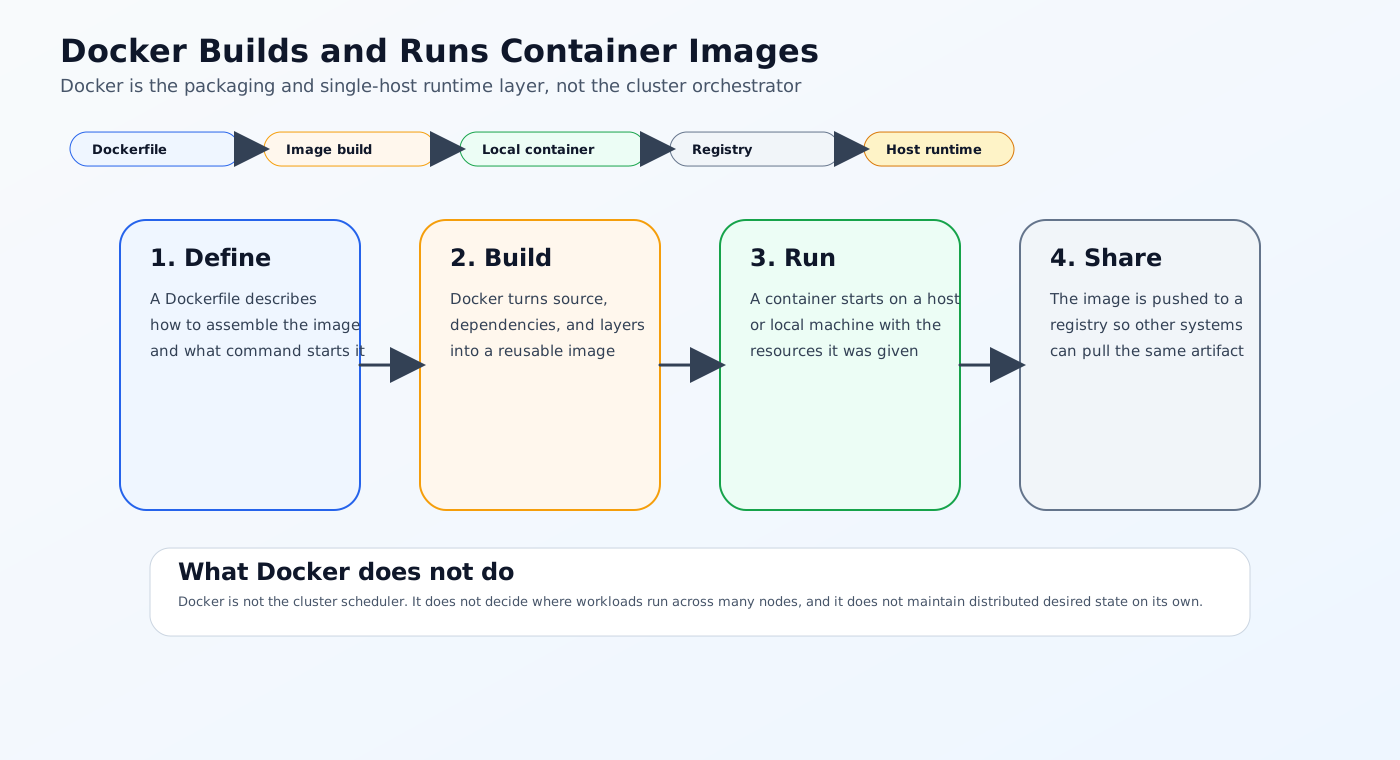
Docker is the container tool many developers meet first. In practice, it is used to:
- Build container images from a
Dockerfile - Run containers locally or on a single host
- Package application dependencies into a repeatable artifact
- Push and pull images from a registry
- Define local development stacks with Docker Compose
Docker is excellent for reproducible packaging and local iteration. It is not, by itself, a cluster orchestrator.
A typical Docker workflow
- A developer writes a
Dockerfile. - The image is built locally or in CI.
- The image is pushed to a registry.
- The image runs on a workstation, server, or Kubernetes cluster.
That workflow solves packaging and portability, but it does not solve scheduling, failover, or cluster-level management.
What Kubernetes actually does
Kubernetes is the orchestration layer. It does not build images. It runs the images that already exist and manages them as part of a distributed system.
Kubernetes handles:
- Scheduling workloads across nodes
- Maintaining desired replica counts
- Restarting failed Pods
- Rolling out updates safely
- Exposing workloads through Services and Ingress
- Managing Secrets, ConfigMaps, namespaces, and policy
- Applying scaling, health checks, and resource controls
Why that distinction matters
An app that starts cleanly in Docker can still behave differently in Kubernetes because the runtime model changes:
- Networking is cluster-aware.
- DNS is resolved through Kubernetes service discovery.
- Resource limits are enforced differently.
- Startup timing interacts with readiness and liveness probes.
- Storage is handled through Kubernetes volumes and storage classes.
Docker is about container packaging and single-host execution. Kubernetes is about operating workloads safely across infrastructure.
Pod is not the same as container
One of the most common misunderstandings is treating a Pod as if it were just a container with a different name.
It is not.
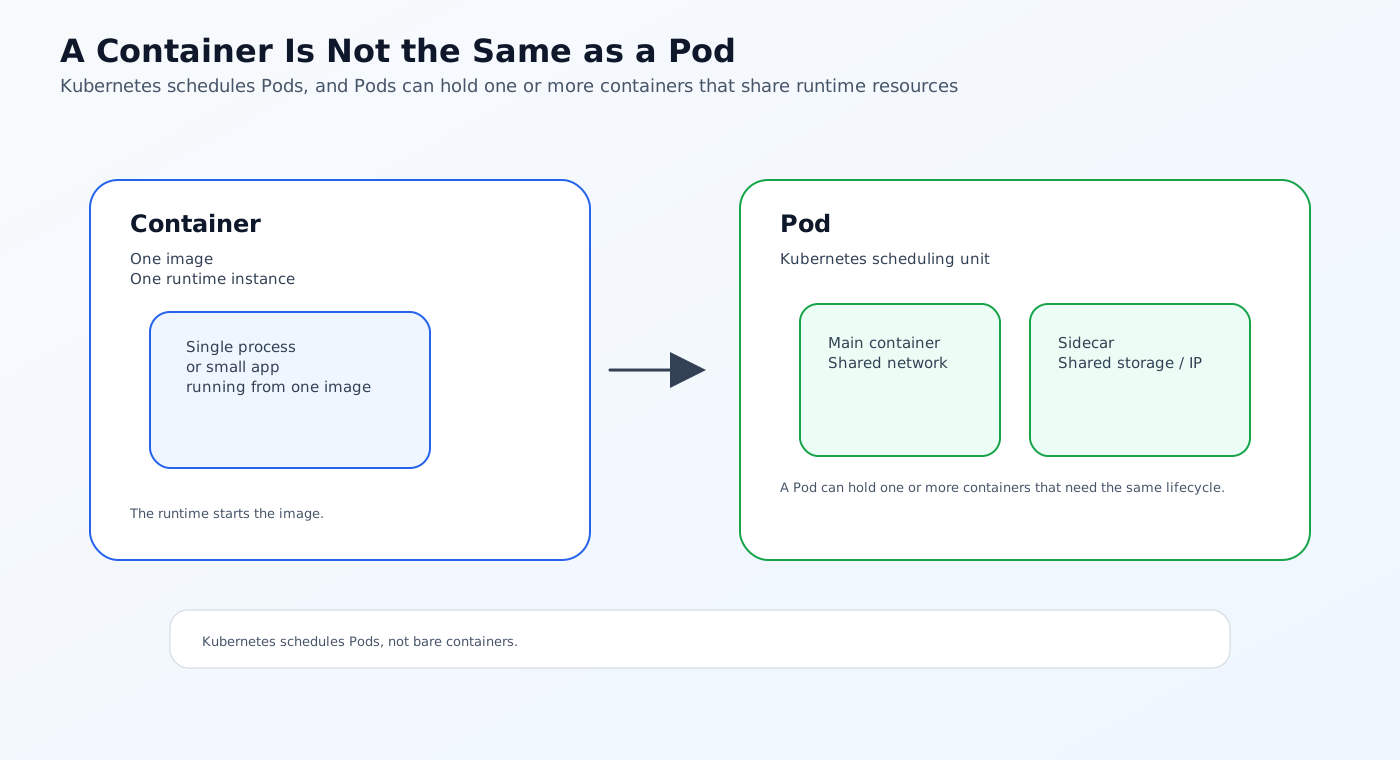
A container is a runtime instance of an image. A Pod is the Kubernetes unit of scheduling. A Pod can hold one container or multiple containers that share networking and storage.
That is why Kubernetes schedules Pods, not bare containers. The Pod is the operational wrapper around the containers that need to live together.
Docker Compose is useful, but it is not Kubernetes
Docker Compose is great for local development and multi-container workflows. It is a definition format for a local service stack, not a production orchestrator.
Use Docker Compose when you want:
- Fast local startup
- Simple dependency simulation
- A readable multi-service app definition
- Developer-friendly iteration
Use Kubernetes when you need:
- Multi-node scheduling
- Self-healing
- Rolling updates
- Service discovery at cluster scale
- Autoscaling
- Namespace isolation and policy
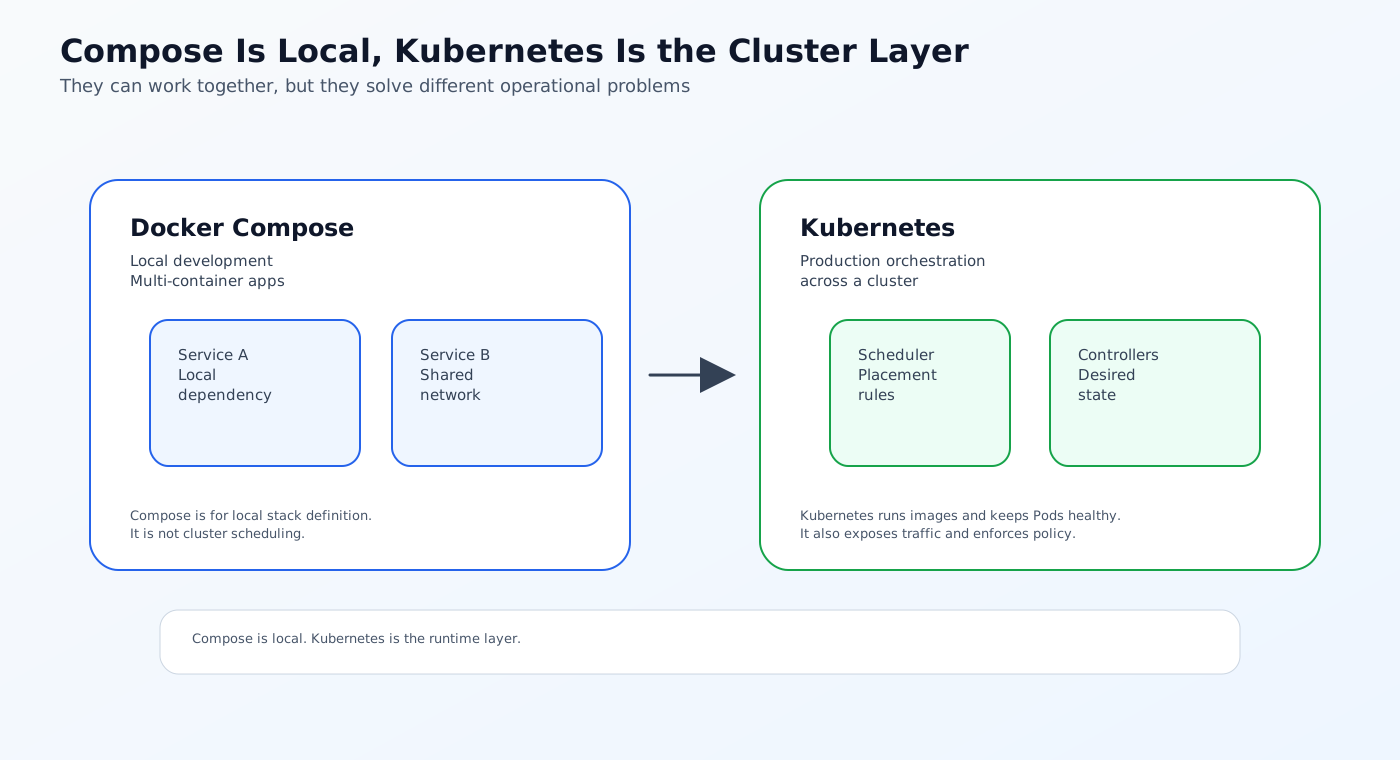
The two can work together, but they should not be confused.
How delivery usually works in production
Most production pipelines follow a simple path:
- Build the image.
- Push the image to a registry.
- Reference that image from a Kubernetes manifest, Helm chart, or GitOps repository.
- Let Kubernetes reconcile the desired state.
- Use logs, metrics, and rollout checks to verify the change.
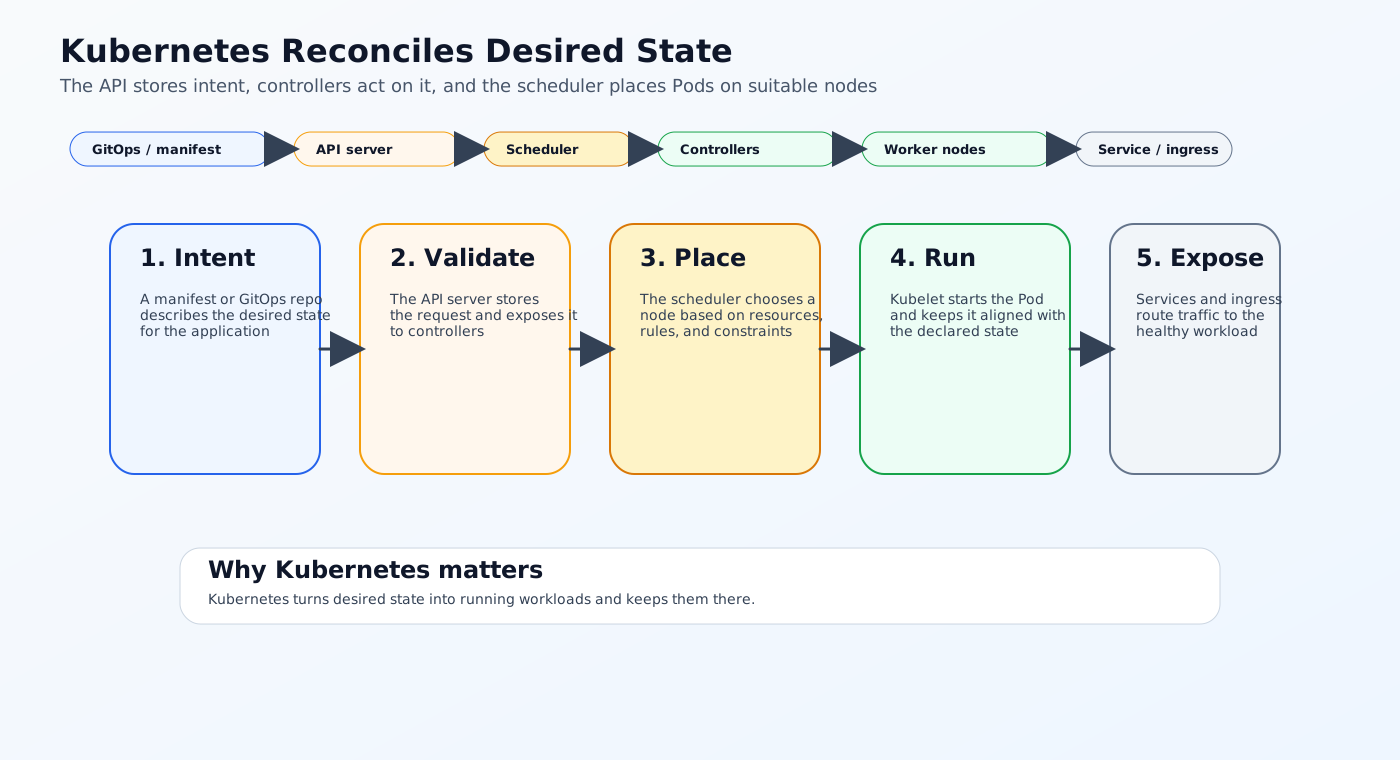
That is the reason Kubernetes is usually paired with CI/CD or GitOps. Docker creates the artifact. Kubernetes runs the artifact. The delivery layer decides when and how the cluster should adopt the change.
Where NebuaCloud fits
NebuaCloud fits around the operational side of this model.
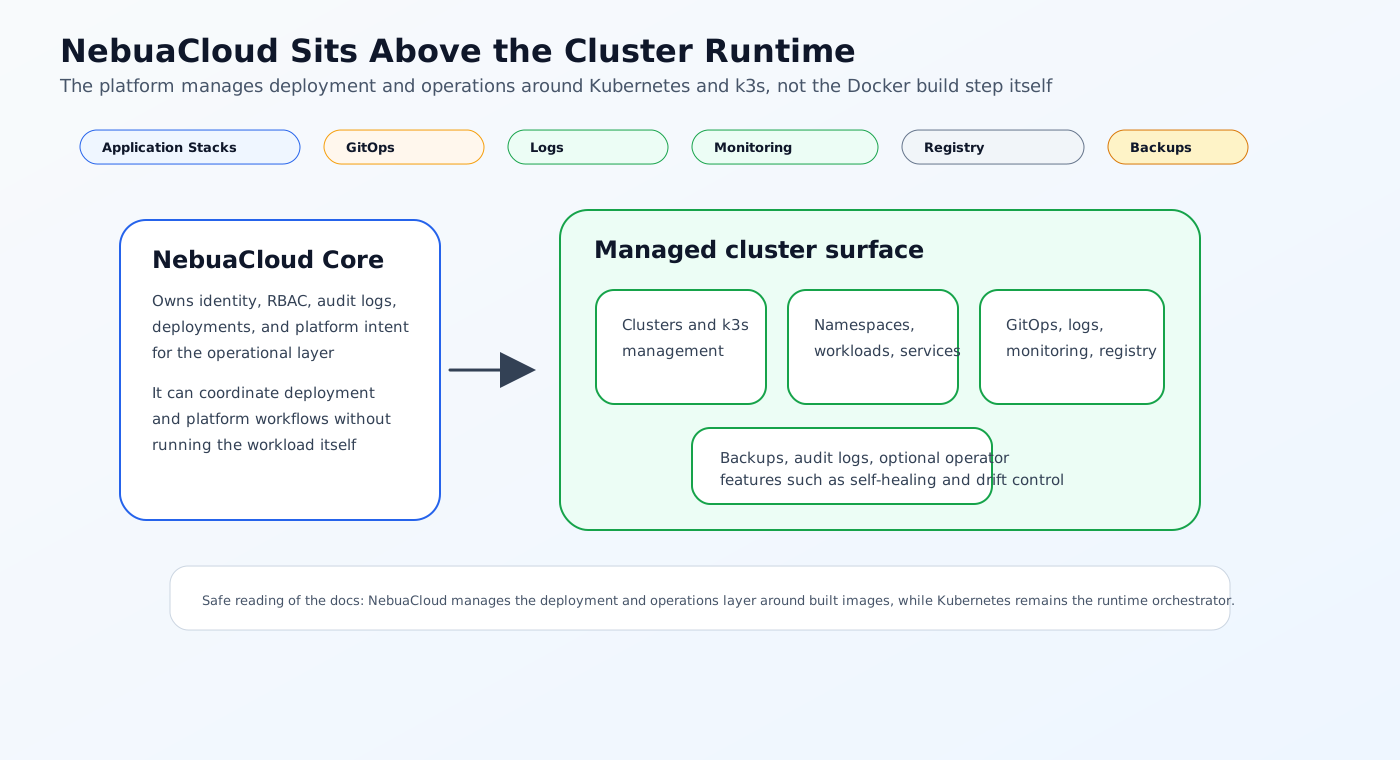
The documentation shows that NebuaCloud supports Kubernetes and k3s cluster management, namespaces, workloads, services, logs, monitoring, GitOps governance, registry settings, backups, audit logs, and optional operator-driven bounded remediation. It also supports Application Stacks that can take Docker Compose YAML or raw Kubernetes manifests and reconcile them through NebuaCloud's deployment system.
What that means in practice
- NebuaCloud is not the Docker Engine itself.
- NebuaCloud does not replace Kubernetes orchestration.
- NebuaCloud can help organize the path from already-built images into cluster deployment and ongoing operations.
- NebuaCloud can accept Compose or manifest-based inputs through Application Stacks and then reconcile them through its deployment system.
What is confirmed and what is not
Confirmed in the docs and code:
- Kubernetes and k3s cluster management
- Namespaces, workloads, services, pods, logs, monitoring, and audit logs
- Container registry settings
- GitOps governance and deployment reconciliation
- Backups and optional operator-based self-healing
- Application Stacks with Compose, Manifest, and GitOps modes
Not confirmed as a native NebuaCloud capability in the sources I checked:
- A built-in Docker image builder
- A native Docker Engine replacement
- AI-driven container orchestration as a core runtime feature
So the safe way to describe NebuaCloud is as the platform layer around deployment and operations, not as the component that builds containers from scratch.
Practical example: from Dockerfile to Kubernetes deployment
Consider a small API service.
Step 1: Build the image
The developer writes a Dockerfile, builds the image, and tests it locally with Docker.
Step 2: Publish the image
CI pushes the image to a registry using a version tag or digest.
Step 3: Deploy to Kubernetes
A Kubernetes manifest or Helm chart references that image. The cluster schedules the Pod and keeps it healthy.
Step 4: Add production controls
The deployment includes:
- Resource requests and limits
- Readiness and liveness probes
- Horizontal autoscaling
- Rollout strategy
- Logging and monitoring
Step 5: Manage change through Git
The manifest or values update is committed to Git, reviewed, and then reconciled into the target cluster.
That sequence shows the real difference clearly: Docker packages the service, Kubernetes runs it, and NebuaCloud helps manage the deployment and operational layer around it.
Conclusion
Docker and Kubernetes are not competing replacements for the same job. They are different layers of the same container workflow.
Docker focuses on image packaging and local container execution. Kubernetes focuses on scheduling, self-healing, scaling, and cluster operations. NebuaCloud fits around the operational and delivery layer that sits on top of those runtime primitives.
If your team ships containers to Kubernetes or k3s, the cleanest mental model is simple: build with Docker, run with Kubernetes, and manage the platform with the tools that fit your production operating model.
Try it with NebuaCloud -> deploy in minutes
Current Availability
NebuaCloud already provides real building blocks around this topic in the current codebase, including cluster and namespace management, GitOps-backed application deployment, and resource metrics for running workloads.
A built-in Docker image builder, a native Docker Engine replacement, and AI-driven container orchestration as a core runtime feature are not confirmed as native NebuaCloud capabilities today. NebuaCloud should be understood as the platform layer around deployment and operations, not as the component that builds container images.